Get €15
Install the Korona app and use your friend's referral code
How to use a promo code
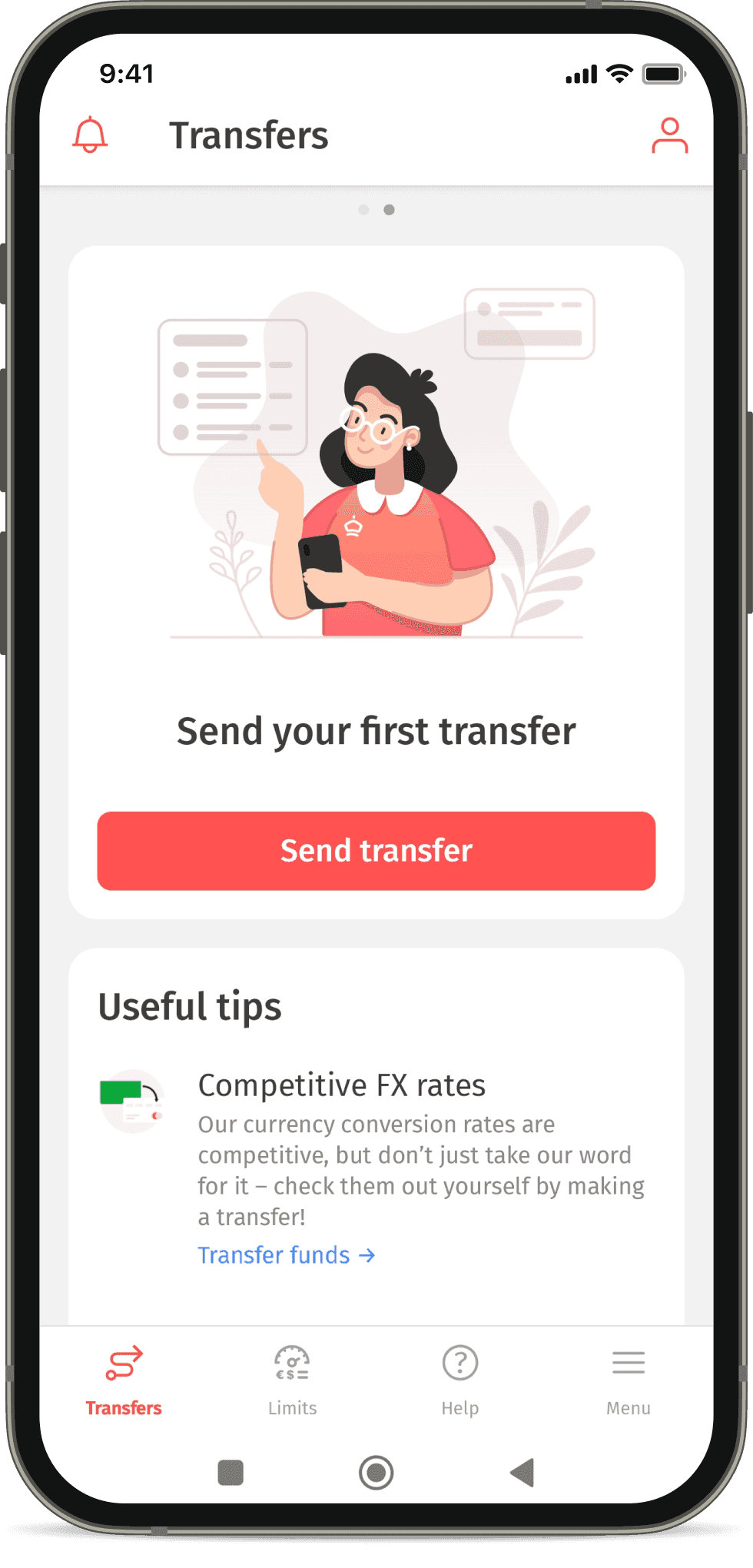
Install the Korona app and Tap the “Send transfer” button
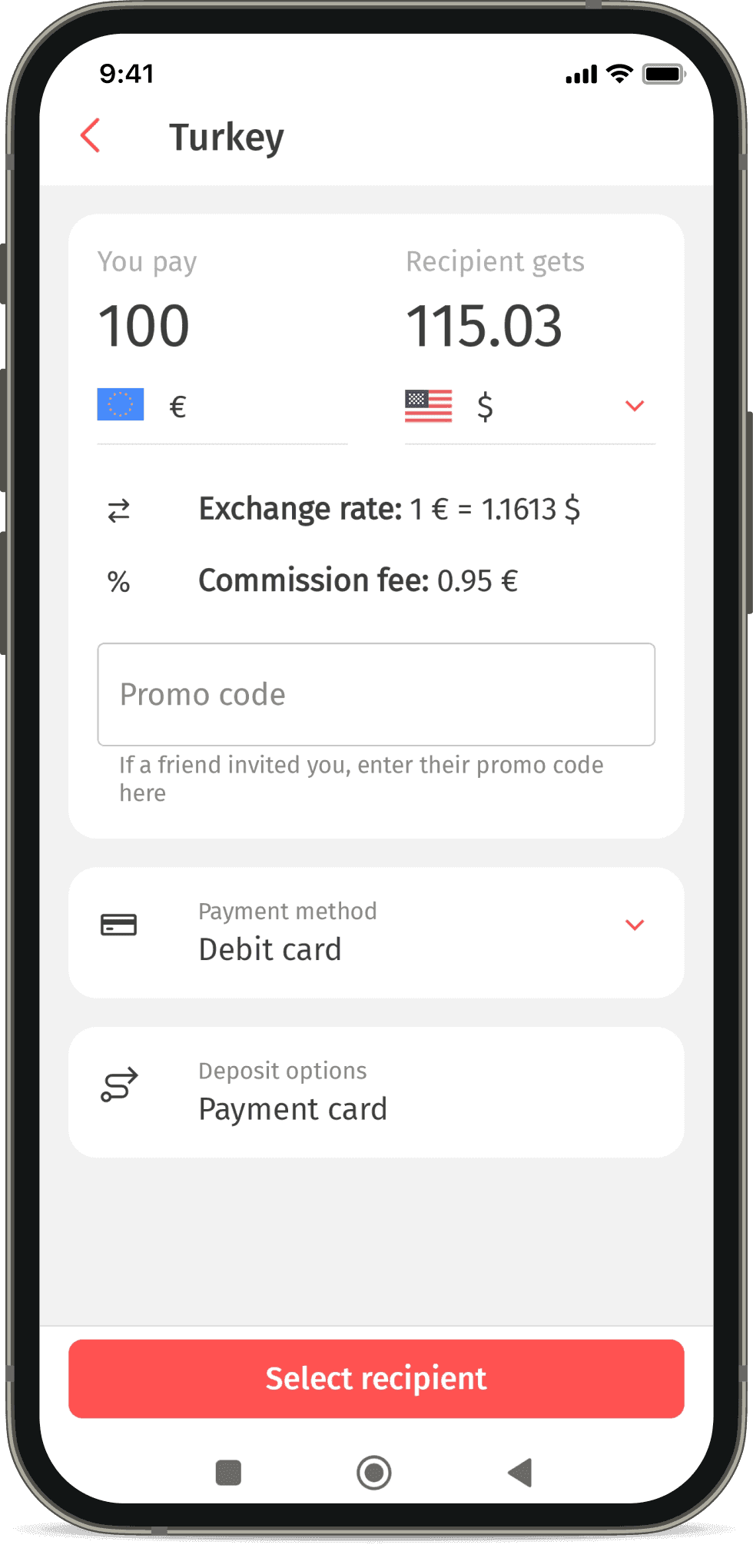
Enter the promo code your friend shared with you in the special field and send a transfer of €100 or more
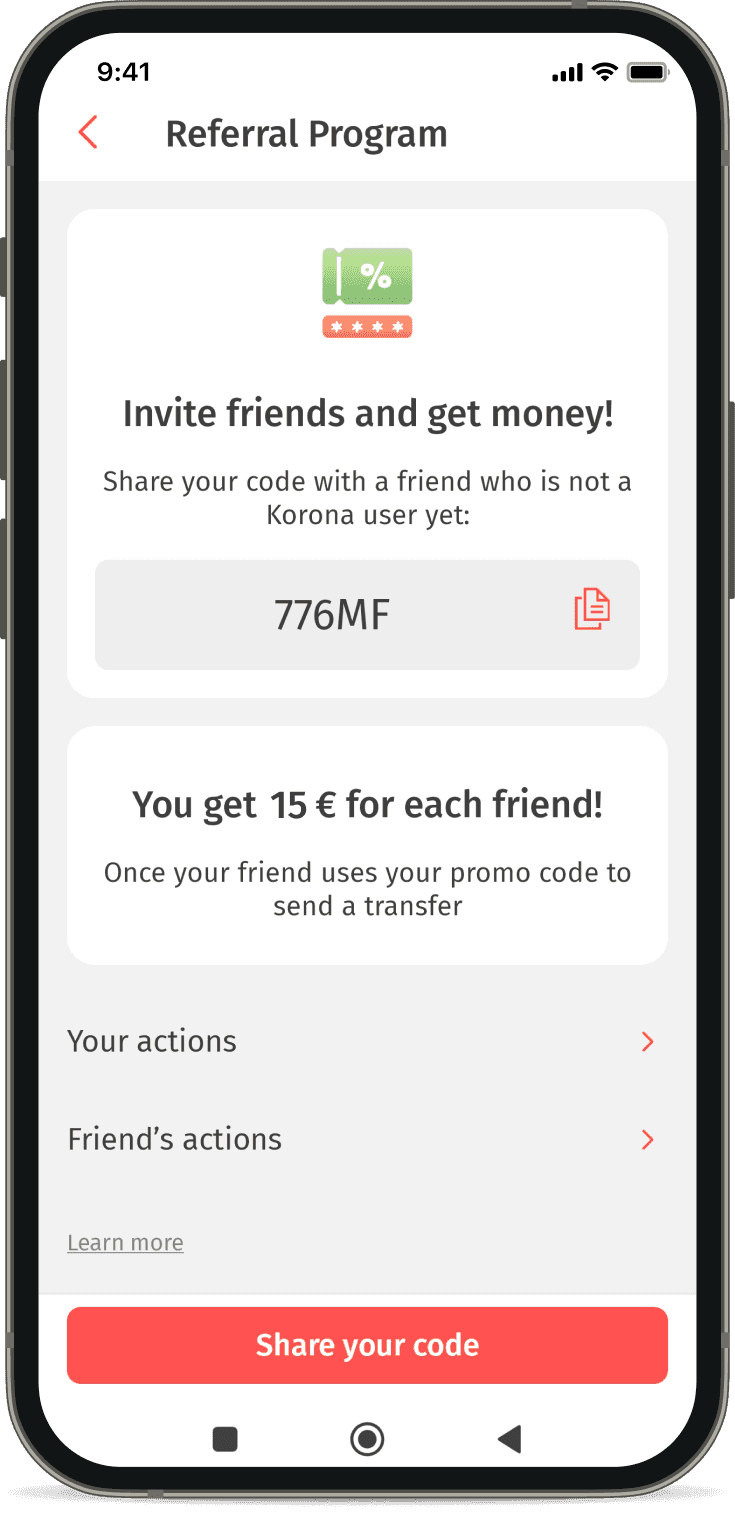
Once your transfer is completed, you’ll receive €15 and gain access to your personal referral code in the “Referral Program” section!
- 1
Install the Korona app and Tap the “Send transfer” button
- 2
Enter the promo code your friend shared with you in the special field and send a transfer of €100 or more
- 3
Once your transfer is completed, you’ll receive €15 and gain access to your personal referral code in the “Referral Program” section!
Korona advantages
Competitive exchange rate
Your transfer is converted at a favorable rate.
Easy sending and receiving
Send money in cash, to a bank card, or an IBAN account. Depending on the recipient’s country, cash can be received in USD or EUR.
Fast and accessible
The recipient can receive the transfer immediately after it’s sent
Safe and reliable
Over 10 years of experience in Europe. We operate 24/7, including weekends and holidays.
Frequently Asked Questions
Download the Korona app from the App Store or Google Play. Choose your language and the country you are in. Enter your phone number from the country you will be sending the transfer from. Enter the 6-digit code from the SMS
After registration, on the main screen, tap “Send transfer”, select the sending country and the method of receiving money. The field to enter the promo code is located below the information about the exchange rate and fees
After you send your first transfer, your personal promo code will be available in the “Referral Program” menu section